
Find your way
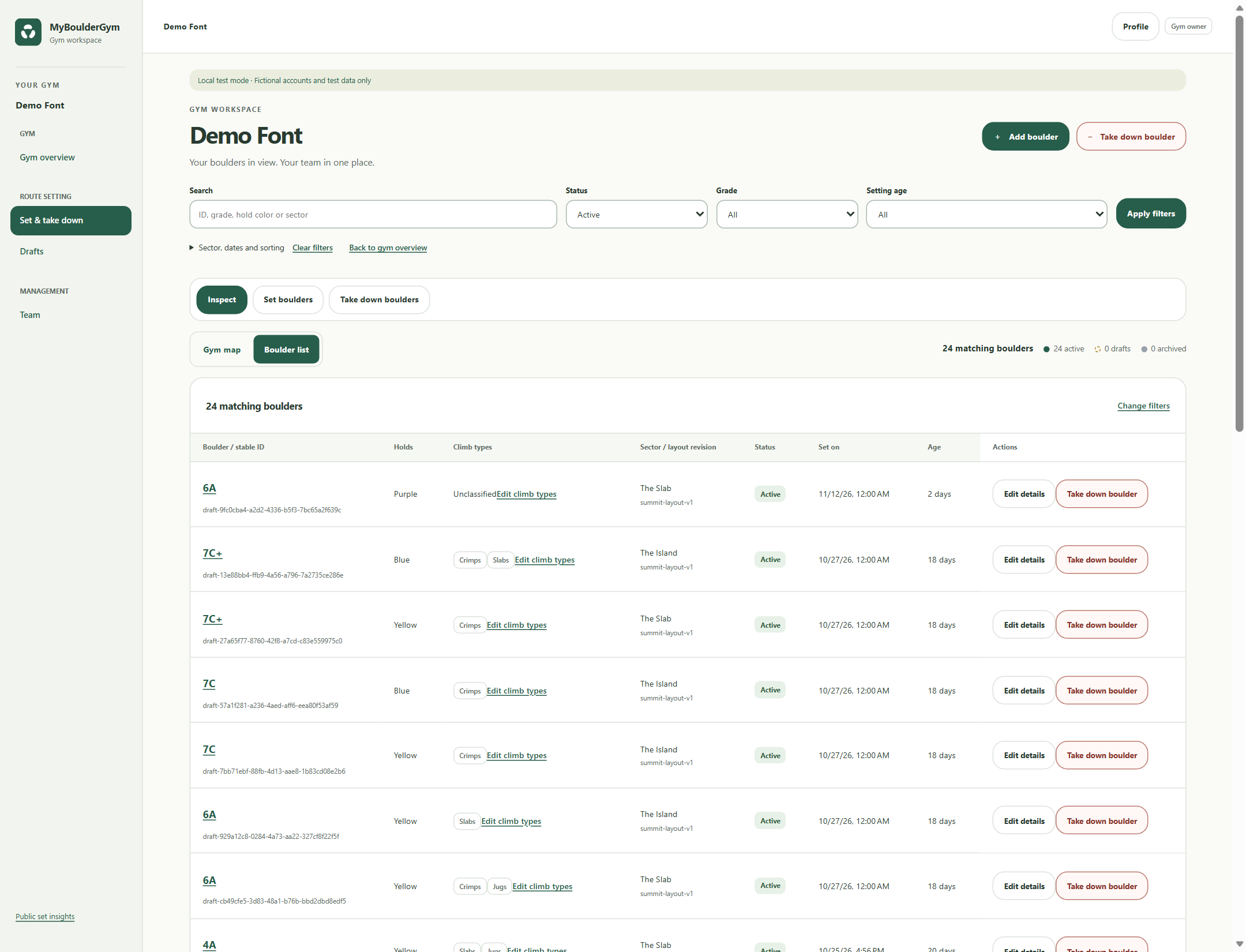
Explore boulders on the gym map or in a list. The sectors and grading system reflect your gym.
Route-setting software for your gym
Software for your bouldering gym: place and publish boulders, then plan the next reset. Keep your setting team and climbers on the same gym map.
In development · Preparing a free pilot · Android first
01 — For your setting team
The gym map is the workspace: place the boulder, pick hold colour and grade, publish. One boulder, one action – no draft and no second list.
 Enlarge image
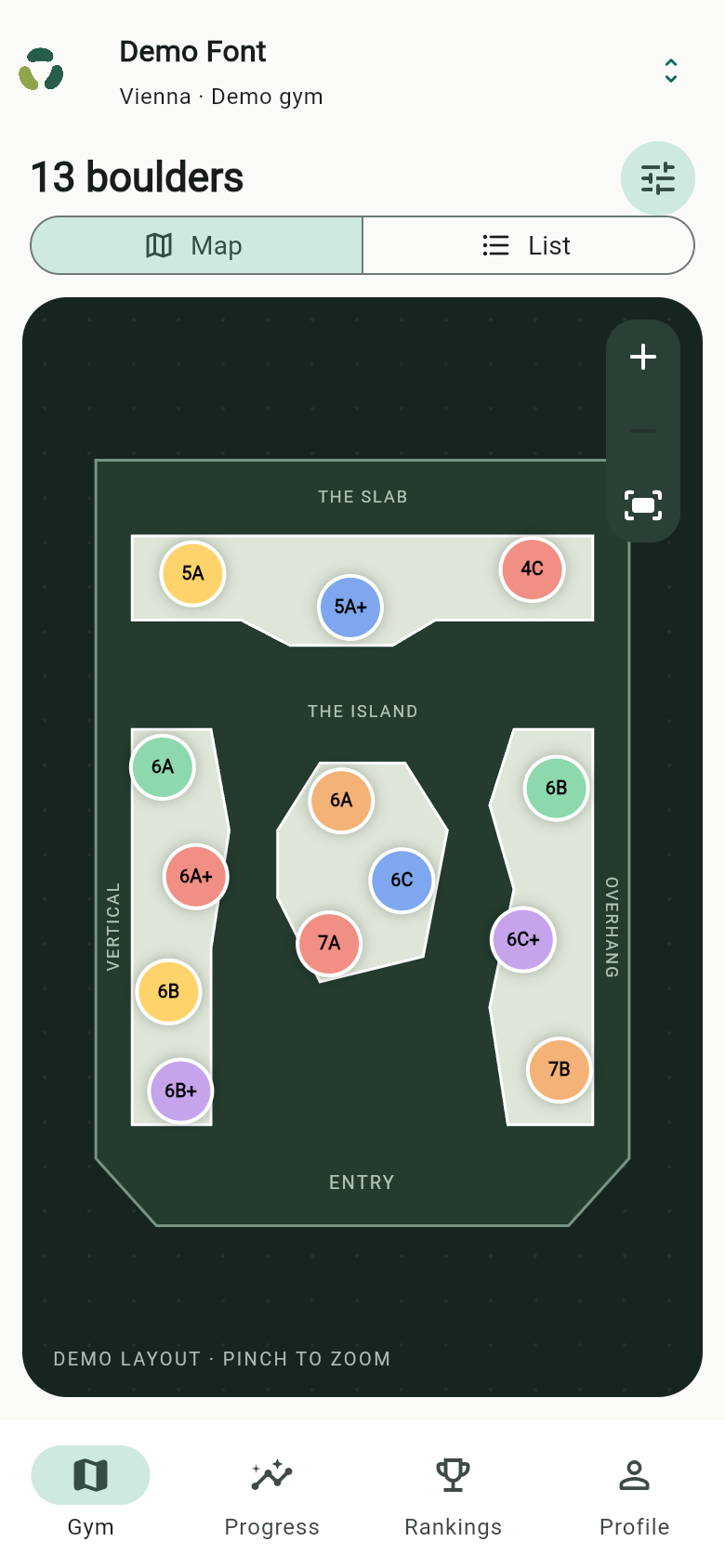
01 / Setting team
The map replaces the paperwork: sectors with boulder and photo counts, the next reset and the missing-photo filter sit right above the wall.
 Enlarge image
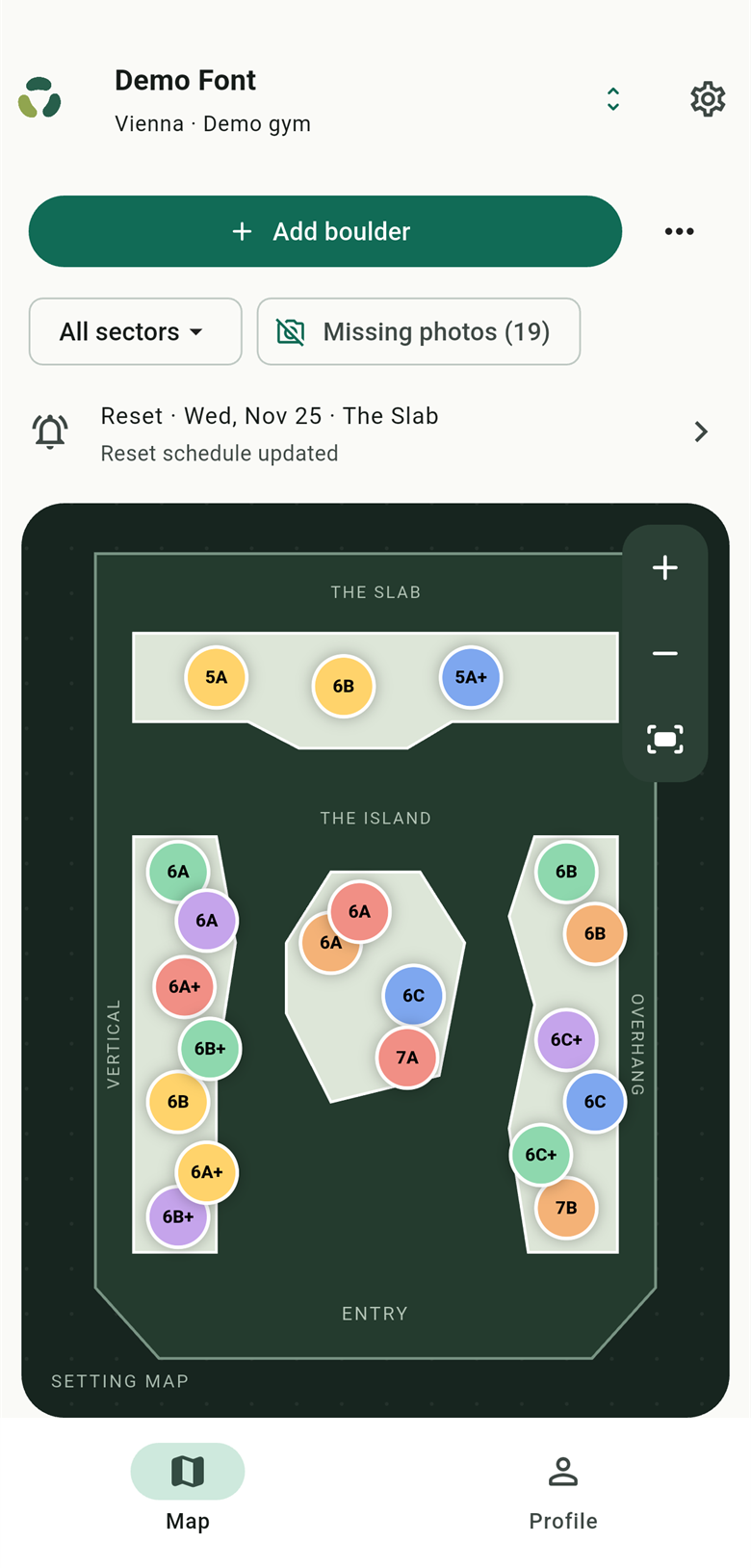
02 / Setting team
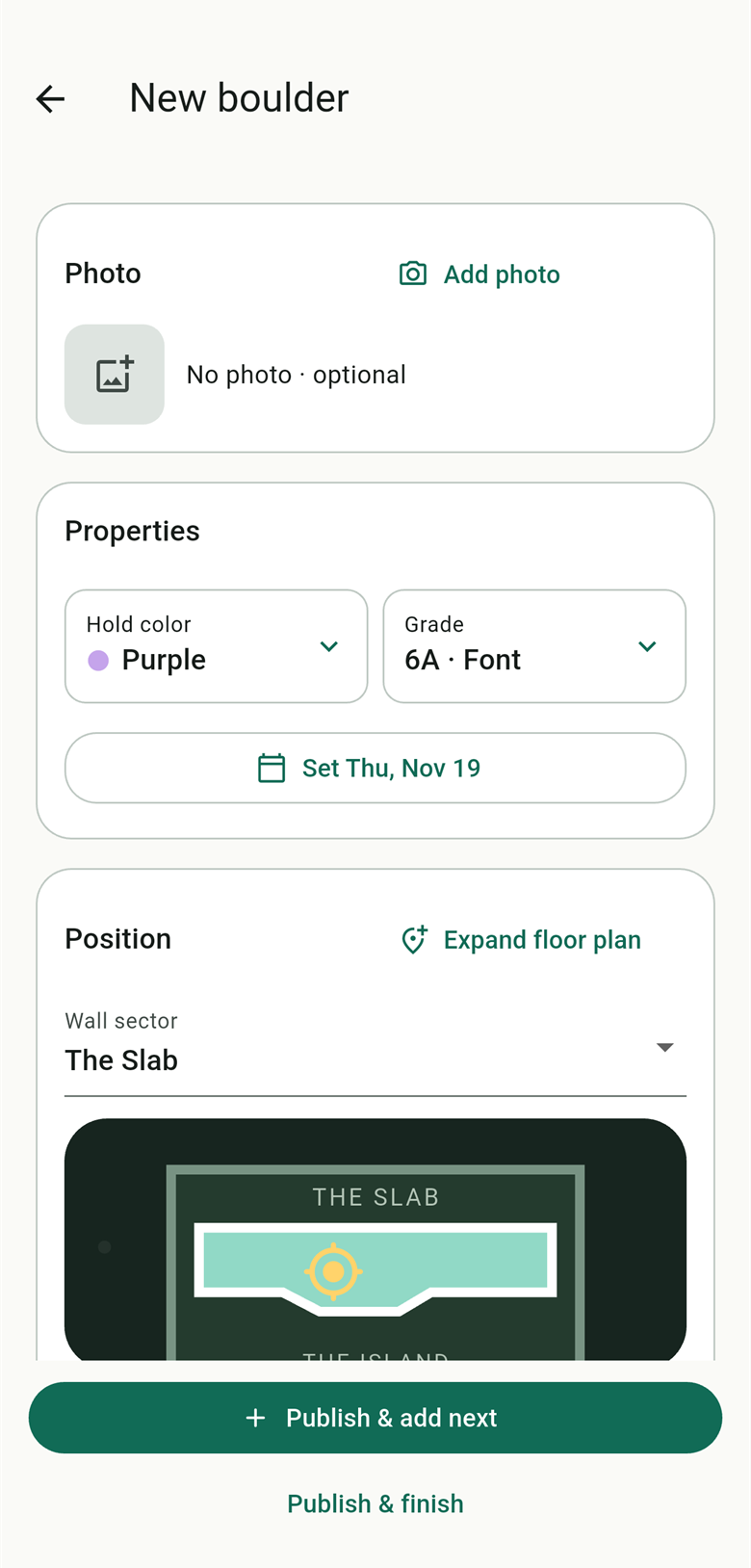
Tap the wall, choose hold colour and grade, publish – the boulder is in the active set. There is no draft for someone to complete later.
 Enlarge image
03 / Setting team
A photo is optional and can be added later. Position, sector, climb types and setting date stay together, so the follow-up work also happens on the phone.
 Enlarge image
04 / Setting team
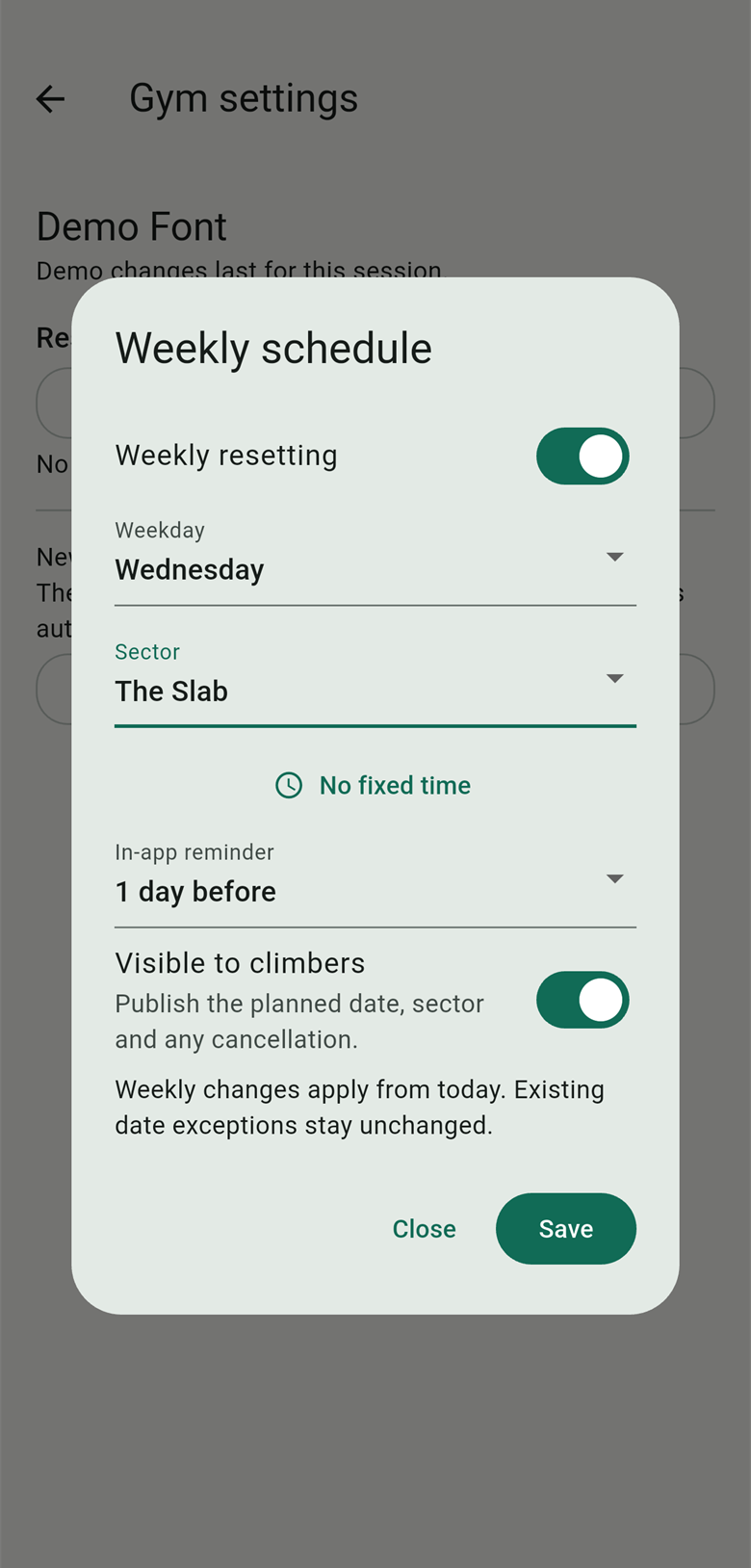
The weekly reset schedule records weekday, sector and breaks. When it is visible to climbers, the app shows the next date to the community as well.
02 — For your community
What your team sets lands in the app right away: gym map, filter for new boulders and your own history – plus the next reset date when the gym shares it.
Android app in development. iOS is planned for later.
Get notified at launch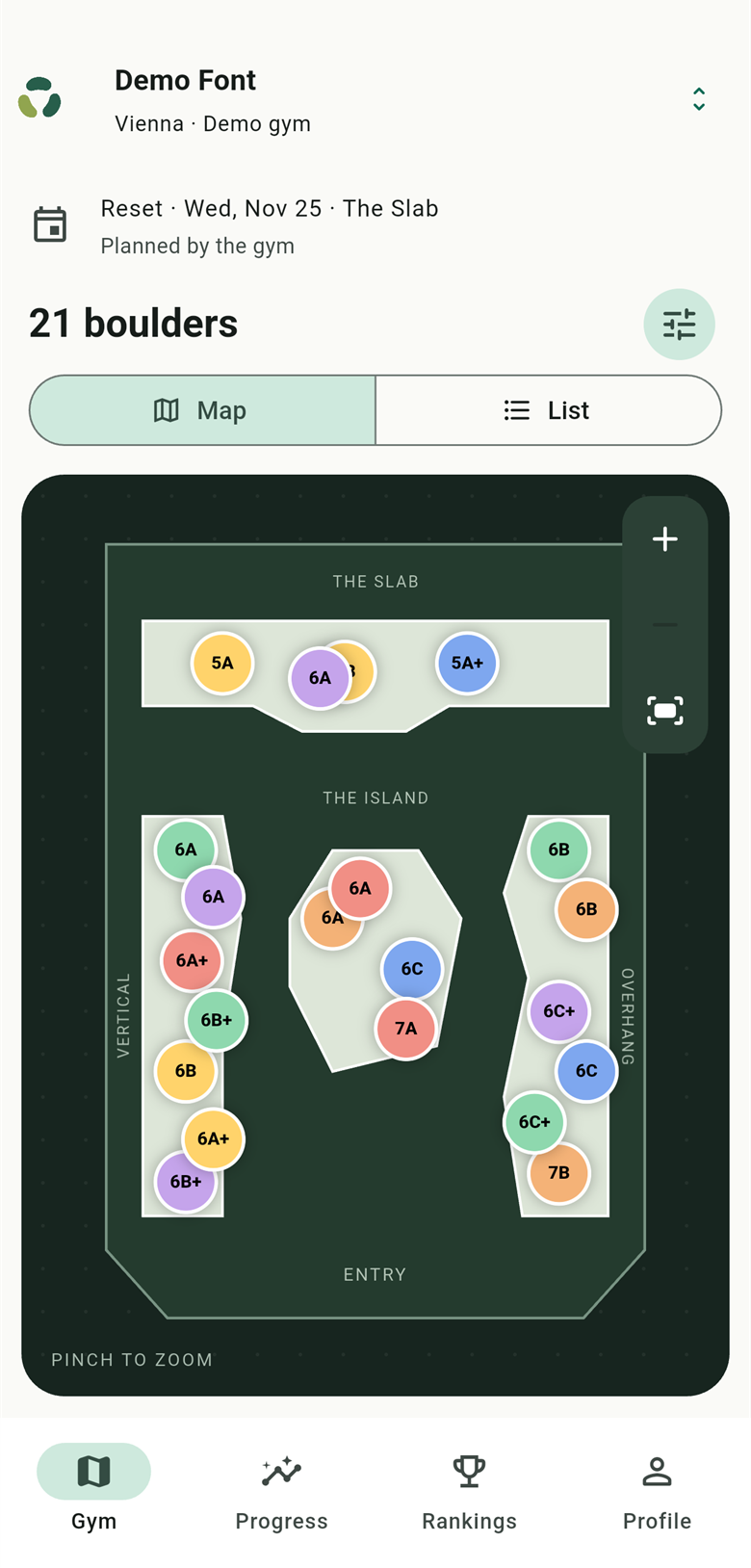
Explore boulders on the gym map or in a list. The sectors and grading system reflect your gym.
Filter by grade, climbing style or newly set boulders – including the one your team just put up.
Keep track of sends and flashes. Guest history stays on the device; signing in keeps a separate account history.
03 — Progress & rankings
A look at sample history and rankings: sessions, flash share and weekly activity come from device history; rankings stay a separate, opt-in area.
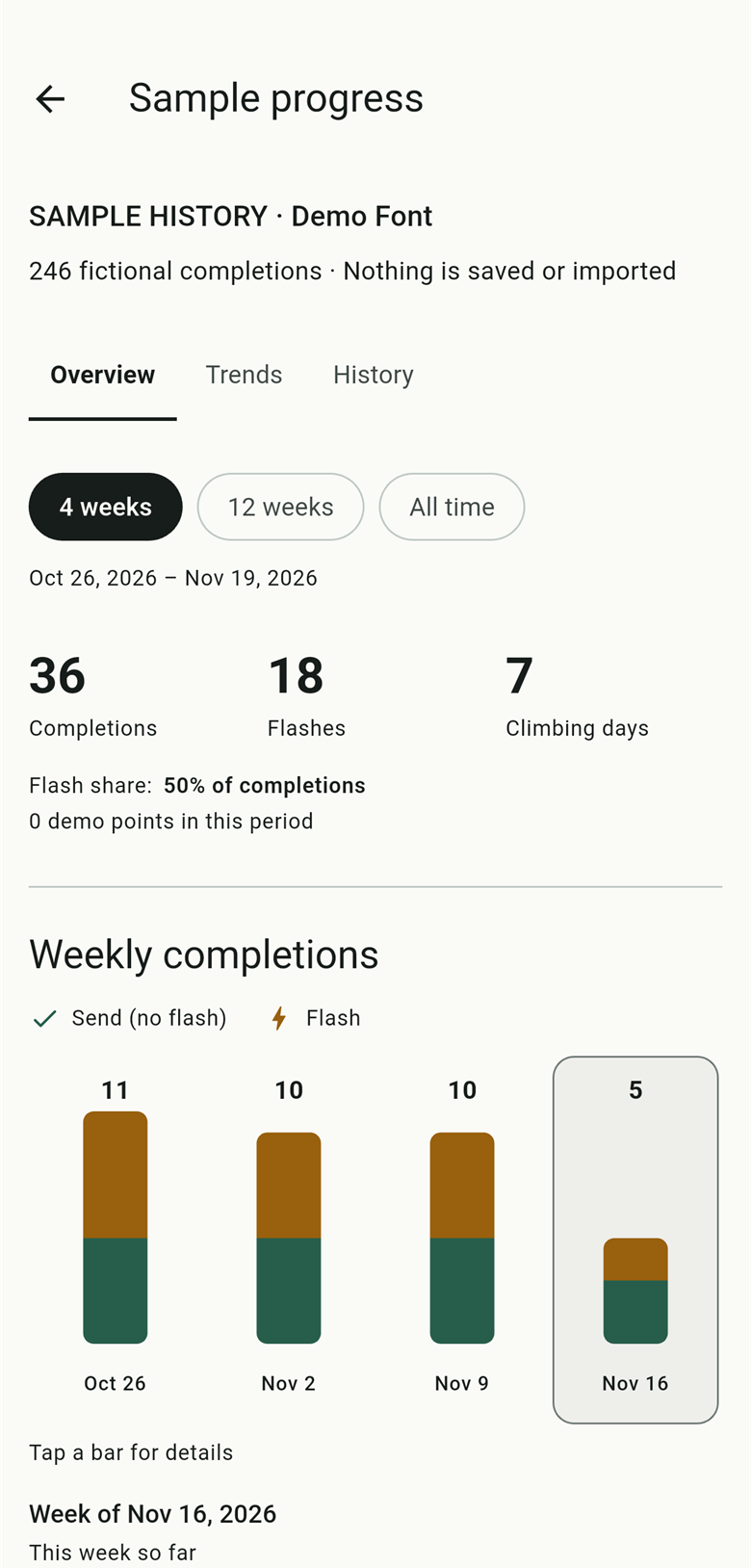
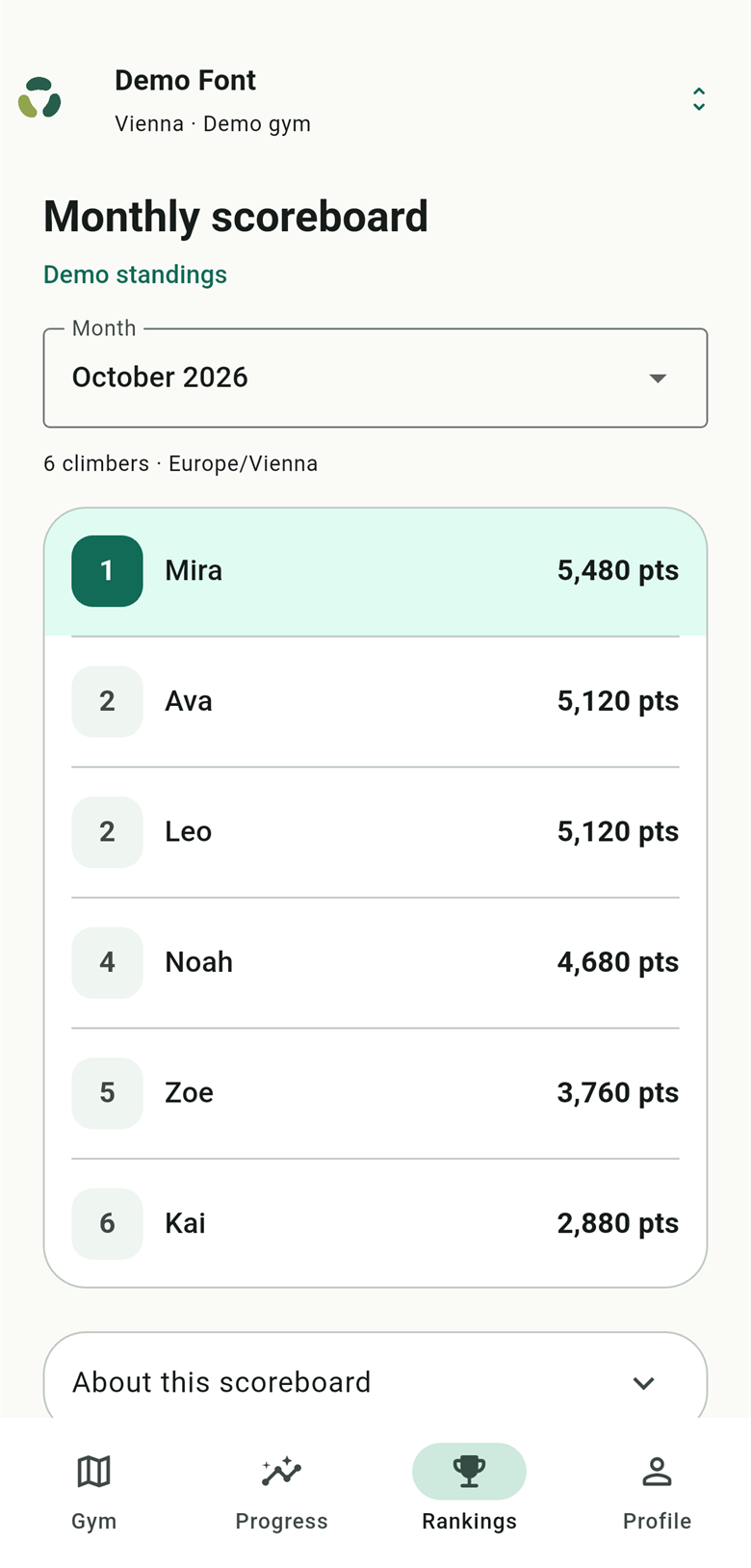
Every number in these images is fictional sample data from a local demo history. They show no real climbers, usage or reach.
04 — In the app
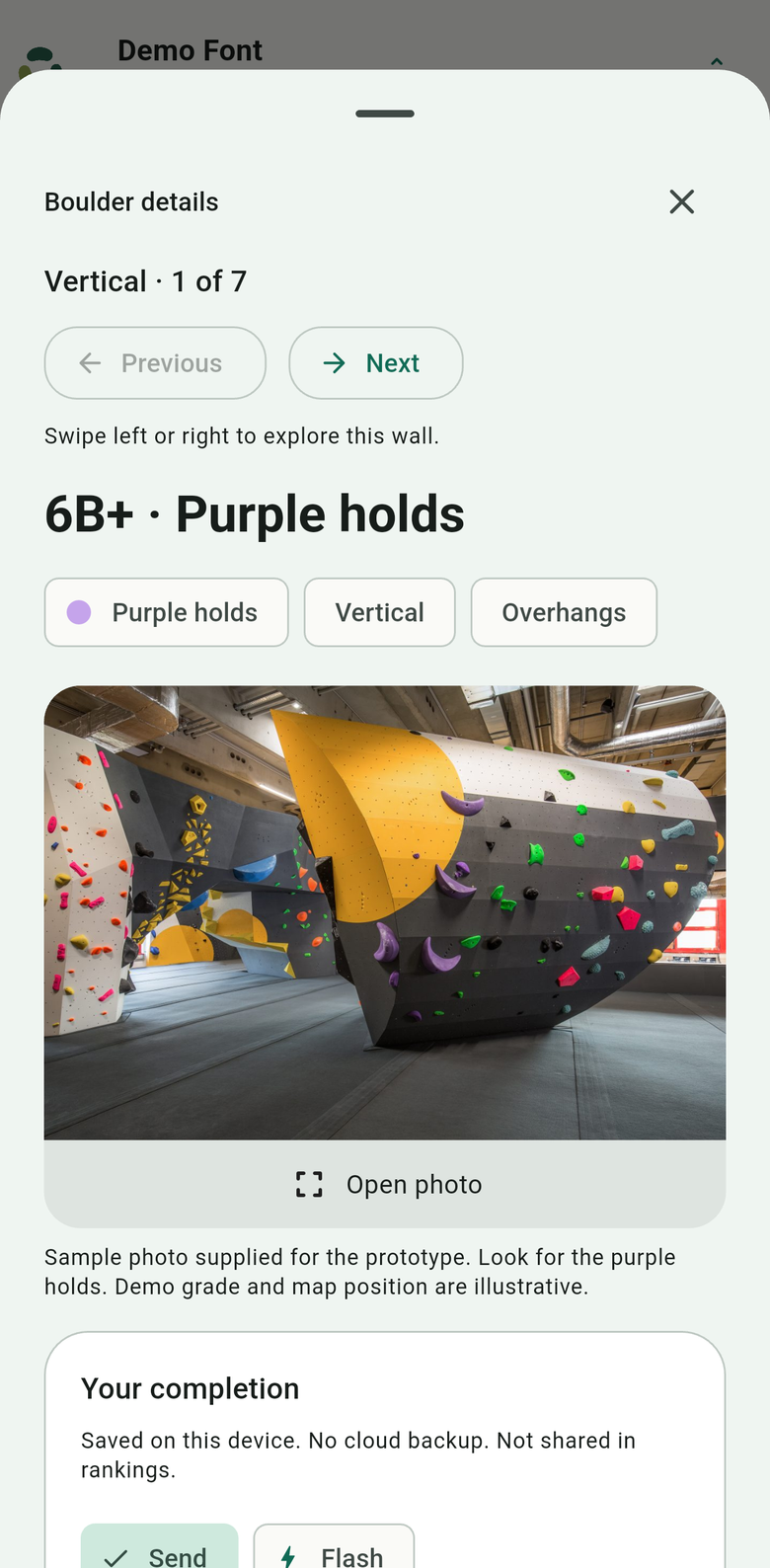
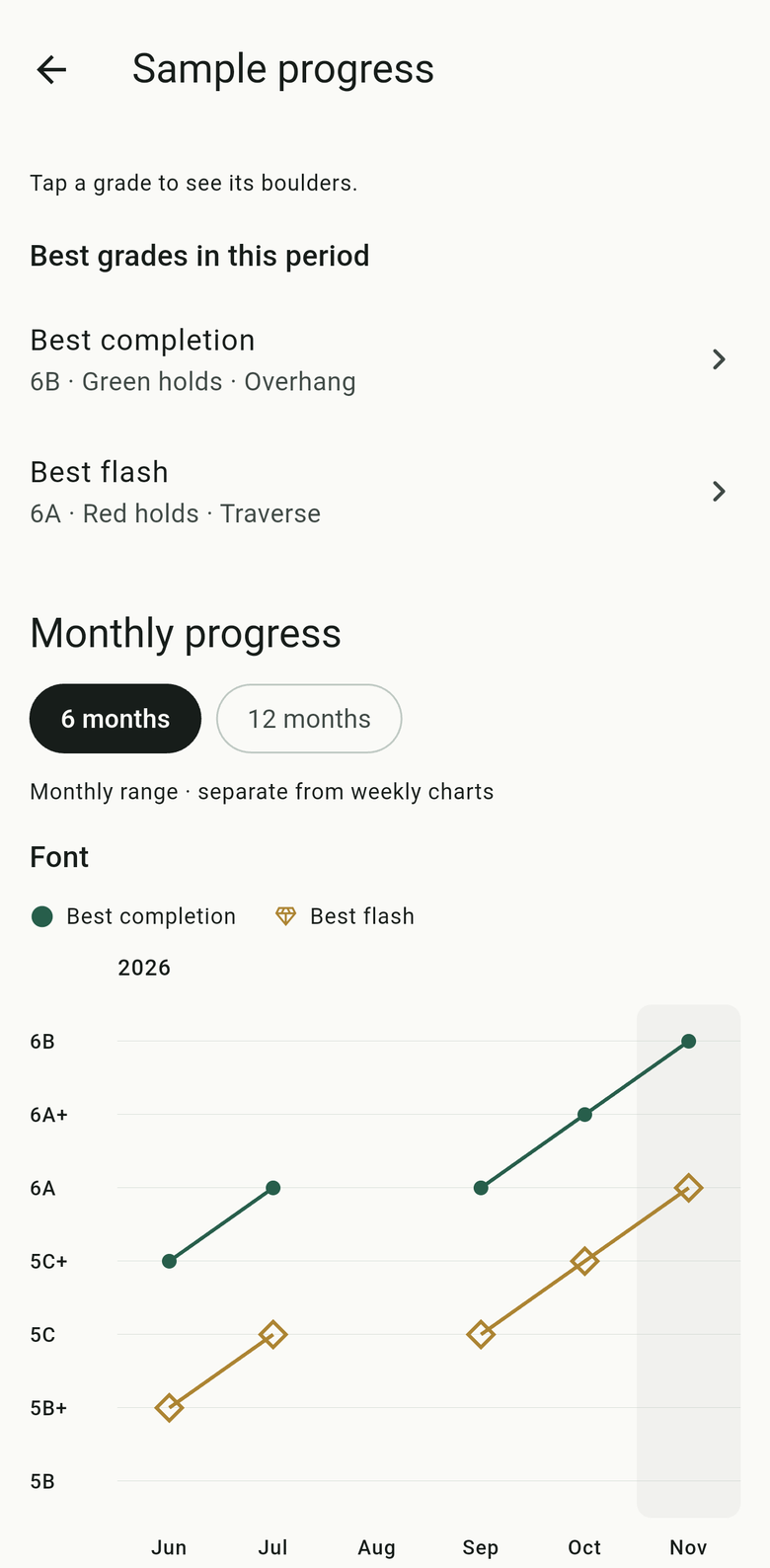
Two steps from the climber's side: open the boulder from the map or the list and see your own progress. In the guest mode shown here, everything stays on the device.
 Enlarge image
01 / Climbers
One tap on a boulder in the plan or list view opens its details: grade, hold colour, wall sector and photo. You log a send or a flash on the same sheet.
 Enlarge image
02 / Climbers
Sends and flashes collect in the device history. The sample progress preview shows your best send and best flash per month — and how both climb over six months.
Real local product captures with the fictional Demo Font gym and sample data. Demo points are not production scoring. Without the image viewer, enlargement opens in a new tab.
Trust & data
The short version for your decision. Every detail is in the privacy policy.
The application and PostgreSQL database run at AWS in Frankfurt and are delivered through CloudFront.
No cookies, no analytics or advertising services. Fonts and images are served from this site itself.
Without an account, climbing history stays local and never appears in a ranking.
Staff rights allow boulder management in the assigned gym, not access to private climbing history.
Sign-in uses Firebase Authentication (Google), which processes sign-in data in the United States, so the service is not EU-only. Full details in the privacy policy
05 — Start together
We're preparing a limited pilot with one bouldering gym in Austria. The goal is a product that works in the everyday life of a real gym.
0 €
Let's try it together.
A free pilot with personal support. We'll agree the duration together.
Explore the pilotWe'll talk about your gym, your setting team and the workflows that matter to you.
We'll agree on the gym map, sectors and grading system with you. The pilot starts once its prerequisites are in place.
We'll support the agreed pilot and gather feedback from your team and climbers.
A public app-store launch hasn't been announced. Android is the first release platform, with iOS planned for later. Get in touch if you'd like to learn about the pilot.
The app supports browsing and local history as a guest. Guest data stays on that device. Signing in keeps a separate account history and does not automatically import the guest history.
The staff area is for invited, authorised people. Route setters set and publish from the phone; whole-sector removal, published-label corrections and team management stay with gym owners. A regular app account does not grant management rights.
The planned pilot is free. How the app will be offered to climbers after the pilot is still open. Pricing and what a later regular service would include have not been decided yet.
Setting happens on an Android phone, right at the wall. The browser workspace stays for the overview at a desk, for archiving and for the work reserved to gym owners. Neither needs a dedicated gym tablet; iOS is planned for later.
Image and usage rights for your photos and beta videos have not yet been defined in the pilot terms. Before using your content, we will agree together who provides it and how it may be used. Community uploads are planned for later.
MyBoulderGym complements your existing channels with the current boulder set, navigation around the gym and personal climbing history. Your website and Instagram remain your public-facing channels. Automatic content transfer or publishing between these channels is not set up.
Guest history stays on the device and does not count towards rankings. Where rankings are enabled, registered climbers can opt in separately for each gym; participation is off by default. Only the chosen ranking name and monthly total are public, not individual climbs or email addresses. Pending sync changes count only after confirmation. The demo points shown are not production scoring; production point awards are still unfinished.
For questions, use the email address shown below. During the pilot, support is available by email and, on request, by phone during individually agreed service hours. There are no fixed general support hours or guaranteed response times.
Let's talk about your gym
Tell us a little about your gym. We'll get back to you to discuss the product and what starting together could look like.
This opens your email app. If nothing opens, copy the address: contact@santinopircher.dev